
Last updated on
Oct 19, 2026
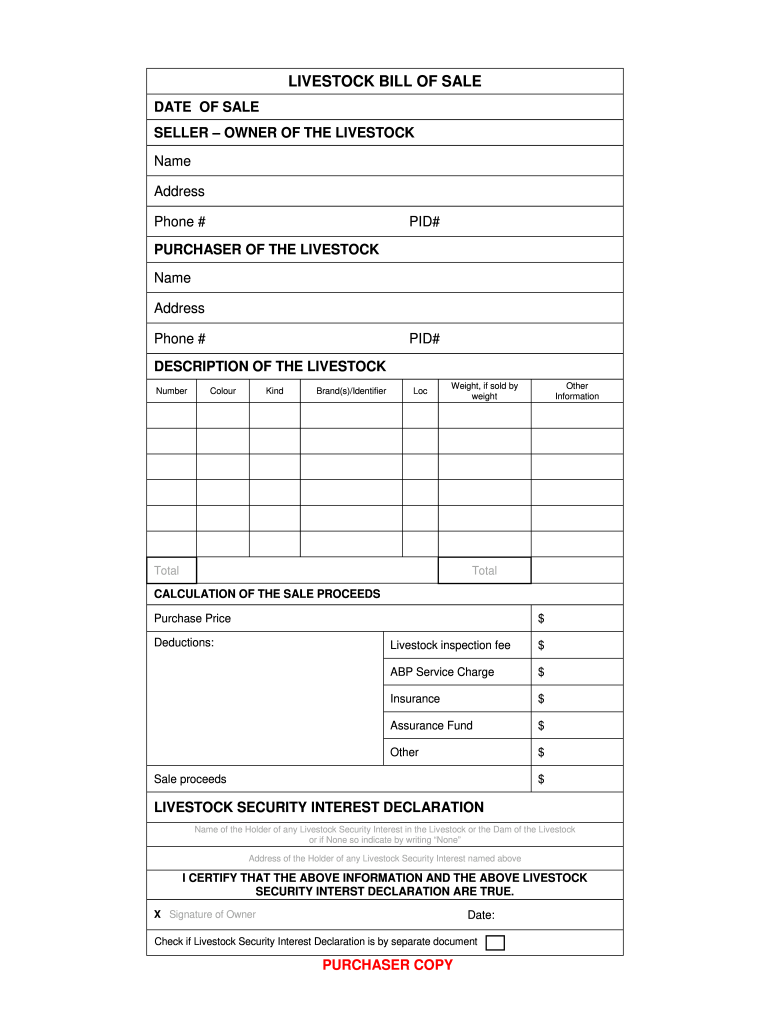
Livestock Bill of Sale free printable template
We are not affiliated with any brand or entity on this form

Fill out
Complete the form online in a simple drag-and-drop editor.

eSign
Add your legally binding signature or send the form for signing.

Share
Share the form via a link, letting anyone fill it out from any device.

Export
Download, print, email, or move the form to your cloud storage.
Why pdfFiller is the best tool for your documents and forms


End-to-end document management
From editing and signing to collaboration and tracking, pdfFiller has everything you need to get your documents done quickly and efficiently.
Accessible from anywhere
pdfFiller is fully cloud-based. This means you can edit, sign, and share documents from anywhere using your computer, smartphone, or tablet.
Secure and compliant
pdfFiller lets you securely manage documents following global laws like ESIGN, CCPA, and GDPR. It's also HIPAA and SOC 2 compliant.
What is Livestock Bill of Sale
The Livestock Bill of Sale is a legal document used by sellers and purchasers to formalize the transfer of livestock ownership.
pdfFiller scores top ratings on review platforms




Who needs Livestock Bill of Sale?
Explore how professionals across industries use pdfFiller.

Livestock Bill of Sale is needed by:
-
Livestock sellers looking to document sales
-
Purchasers wanting proof of livestock purchase
-
Farmers managing livestock transactions
-
Agricultural businesses involved in livestock trade
-
Legal professionals drafting vendor contracts
-
Individuals securing a livestock sale agreement
Comprehensive Guide to Livestock Bill of Sale
What is a Livestock Bill of Sale?
A livestock bill of sale is a legal document that serves to record the transfer of ownership of livestock from a seller to a purchaser. This essential livestock sale document delineates all relevant details concerning the parties involved in the transaction, thereby establishing legal clarity and protection. Recording ownership transfer is crucial to safeguard the rights of both the seller and purchaser during livestock transactions.
Purpose and Benefits of a Livestock Bill of Sale
The livestock bill of sale provides formal documentation for the sale of livestock, which is vital for maintaining clear ownership records. This document offers multiple benefits, including:
-
Legal enforcement of ownership rights for both seller and purchaser.
-
Protection against future disputes regarding the transfer of livestock.
-
Clarity in transaction terms that may otherwise be misunderstood.
Having a livestock sale agreement not only solidifies the transaction but also serves as a reference for tax purposes and future sales.
Key Features of the Livestock Bill of Sale
Understanding the fundamental aspects of the livestock bill of sale is vital for effective use. Key features of this document include:
-
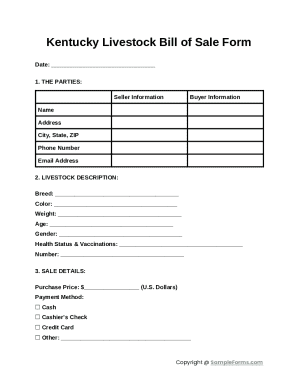
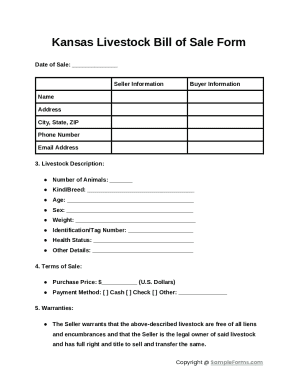
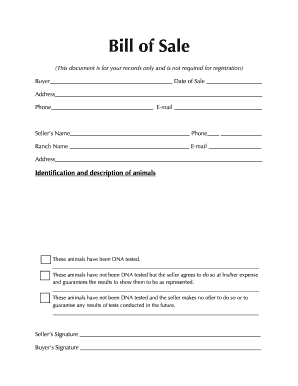
Fillable fields such as seller's and purchaser's names, contact information, and livestock description.
-
Purchase price, which outlines the financial commitment of the purchaser.
-
A livestock security interest declaration, which highlights any existing financial claims on the livestock.
These characteristics ensure that all relevant details about the livestock transfer are documented clearly.
Who Needs a Livestock Bill of Sale?
A livestock bill of sale is essential for various individuals and entities. Typically, the following groups require this document:
-
Farmers and ranchers engaging in the buying or selling of livestock.
-
Businesses involved in livestock production or trading.
-
Individuals seeking to transfer ownership for personal purposes.
Situations necessitating the use of this agricultural sale form include formal transactions, loans with livestock as collateral, or legal requirements for taxation.
How to Fill Out the Livestock Bill of Sale Online
Filling out the livestock bill of sale digitally using pdfFiller is straightforward. Follow these steps:
-
Access the livestock sale agreement template on pdfFiller.
-
Enter the seller's and purchaser's information in the designated fields.
-
Describe the livestock, ensuring that all characteristics are detailed.
-
Specify the purchase price clearly to avoid misunderstandings.
-
Review all entered information before submission.
Completing the form online enhances efficiency and reduces the risk of errors.
Common Errors and How to Avoid Them When Filling Out a Livestock Bill of Sale
Avoiding common mistakes when completing the livestock bill of sale is essential for a successful transaction. Frequent errors include:
-
Leaving fields blank or providing incomplete information.
-
Incorrectly spelling names or omitting essential livestock details.
-
Failing to include signatures where required.
To prevent these issues, double-check all information and ensure that every section is filled out accurately.
How to Sign the Livestock Bill of Sale
Signing the livestock bill of sale is a critical step to validate the document. The seller's signature is mandatory for the agreement to be considered legally binding. Users have options regarding signing:
-
Wet signatures, which require physically signing the document.
-
Digital signatures, allowing for quick and convenient signing online.
Each method is valid, but ensure clarity on the chosen approach for both parties involved.
How to Download, Save, and Print the Livestock Bill of Sale
Once the livestock bill of sale is completed, managing your document is essential. Here's how to proceed:
-
Select the option to download the filled form from the pdfFiller platform.
-
Save the document in your preferred format for easy access.
-
Print a physical copy for record-keeping or for the buyer.
Following these steps ensures that you maintain accurate documentation of your transaction.
What to Do After Completing the Livestock Bill of Sale
After filling out the livestock bill of sale, it's crucial to understand the next steps. Consider the following:
-
Choose your submission method, whether by hand delivery, mail, or email.
-
Track submissions to confirm receipt and address any issues promptly.
-
If necessary, be prepared to amend or correct the document to reflect accurate details.
Proper handling post-completion can enhance the transaction's success and integrity.
Secure and Compliant Handling of Your Livestock Bill of Sale
When managing your livestock bill of sale, security is paramount. pdfFiller employs stringent security measures to protect your sensitive documents, including:
-
256-bit encryption for secure data transmission.
-
Compliance with SOC 2 Type II and relevant regulations like HIPAA and GDPR.
Understanding these measures reassures users that their legal documents are handled with the utmost care.
Start Your Livestock Sale with Confidence Using pdfFiller
Utilizing pdfFiller enhances your experience with livestock bill of sale needs. The platform simplifies the process of creating, filling, and signing documents, providing ease of use that users appreciate. Experience the benefits of streamlined document management and enjoy heightened user satisfaction.
How to fill out the Livestock Bill of Sale
-
1.To access the Livestock Bill of Sale, visit pdfFiller's homepage and search for the form by name in the search bar.
-
2.Once located, click on the form to open it within the pdfFiller interface. You can select the 'Edit' option to start filling it out.
-
3.Before beginning to fill out the form, gather necessary information such as seller and purchaser details, livestock descriptions, and sale prices.
-
4.Use the fillable fields to enter the required information accurately. Click into each field to type in data or select options where applicable.
-
5.Pay special attention to the 'Signature of Owner' field, ensuring the seller signs to validate the document.
-
6.For review, go through the completed form to check all entries for accuracy and completeness. Use the zoom and preview options to view the entire document.
-
7.After finalizing the form, save your changes. You can choose to download the completed form or submit it directly through pdfFiller if required.

What are the eligibility requirements for this form?
To use the Livestock Bill of Sale, you must be the owner of the livestock being sold or an authorized representative of the seller. Ensure all information matches what is on official records.
Is there a deadline for completing this form?
There is no specific deadline for completing the Livestock Bill of Sale; however, it should be executed at the time of the transaction to correctly document the sale.
How do I submit the completed form?
Submission methods depend on your specific needs. You can print the form for physical delivery or use pdfFiller's submission options for digital delivery. Ensure to follow up on any requirements from local authorities.
What supporting documents do I need?
Typically, no additional documents are required with the Livestock Bill of Sale. However, any identification or ownership proof may be helpful in case of disputes.
What are common mistakes to avoid when filling out this form?
Common mistakes include leaving out signatures, incorrect livestock descriptions, and failing to accurately state sale prices. Double-check all fields before finalizing.
How long does it take to process this form?
Processing time varies based on how you submit the form. If submitted electronically, expect quick confirmation. Physical submissions may take longer depending on local regulations.
What if I need modifications after completing the form?
If modifications are necessary, you can easily edit the form in pdfFiller prior to saving or submission. If it has already been submitted, a new Bill of Sale may be required.
Related Content
Related Forms




Related Catalogs
Get the latest insights from our blog


If you believe that this page should be taken down, please follow our DMCA take down process
here
.
This form may include fields for payment information. Data entered in these fields is not covered by PCI DSS compliance.